Welcome to SamApp
Scan or Tap (Click) the QR code, install, and track pets, feeds & foods across devices with ease..

SamApp is a lightweight, cross-device app for managing pets feeding routines.
Key Terms
| Term | Meaning |
|---|---|
| Client | Household managing pets |
| Owner | Registers and manages setup. Feeds pets |
| Member | Can feed pets |
| Pet | An animal tracked in SamApp |
| Meal | Type of food used for feeding |
| Portion | Amount of food served |
Subscription Plans
| Subscription | Best for... |
|---|---|
| Free | Users with one pet |
| Multi (Coming Soon) | Users with several pets |
| Pro (Coming Soon) | Professional pet caregivers |

Welcome screen

Login screen with the register button
💼 - Click the register button to create your client

💼 Register - create your client,
Fill your(owner's) details
Define your(owner's) and members's nicknames
The owner's name is the default nickname

💼 Register details example
Click the Submit button
The email with the links for your members login will be sent to your email

👦 Log In

👦 Log In filled

Main screen after login

Select portion (part of a pouch or tin)
The meals list appears clickable (green)

Write to Log - click a meal name row
The defined part will be converted to the weight (g)
The last logged record may be deleted (while it is red)

Settings

Edit Meals

Edit Pets

Edit Memberss

Add Members

Reset App
A: Because the development of the app was inspired by the cat Sam!
A: It's designed to make your life easier with helpful features!
A: Yes, it has the always-free version.
A: Yes, Open setting - Edit Pets. Change and tap the "Update" button.
A: Yes, Open setting - Edit Meals. Change and tap the "Update" button.
A: Yes, The last logged entry appears red. Just tap the entry.
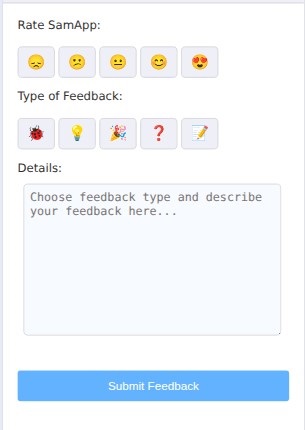
A: Yes, you can send feedback through the app's feedback form.
A: You can provide feedback on any aspect of the app, including features, usability, and bugs.
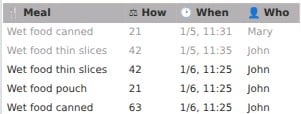
Now you can easily refresh the feed list. Instead of reopening the app, just tap the refresh button.

Get Started with SamApp Today!
Scan the QR code above or click to install and start managing your pet's feeding routine with ease.